 peekpanda
Saving creatives
Save posts to your account and ads to your boards, and use the Saved views to get back to them.
Download Markdown ↓Click the bookmark on any creative card to save it. An organic post is saved to your account. A paid ad is saved to one or more boards.
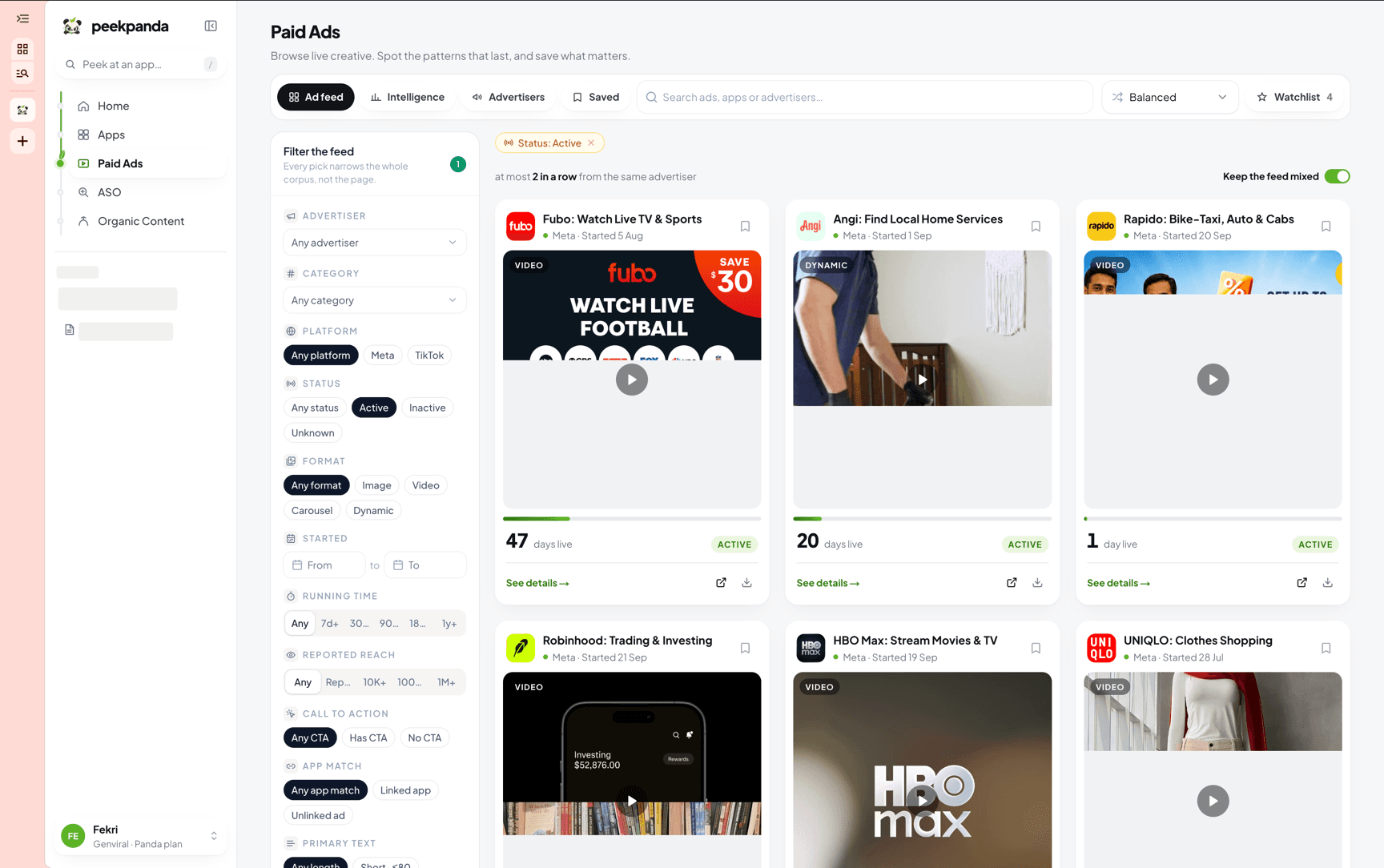 The bookmark sits on the creative card, in the paid ads library and the organic library.
Saved posts belong to your account and nobody else sees them. Saved ads live on boards: personal boards are yours alone, and boards inside a workspace are shared with its members.
Saving an organic post
Two controls save the same post:
- The bookmark on the card in the grid.
- The heart at the top of the details panel when the post is open.
Saving a paid ad
The bookmark on a paid ad card, in the grid or in the inspector, opens your boards. Tick the boards the ad belongs on, or type a new board name and press Enter. You can add a note while you are there. The bookmark stays filled while the ad is on at least one board.
Getting back to what you saved
The two libraries keep their own Saved view. There is no single combined list.
| Library | How to get back | What you see |
|---|---|---|
| Organic | The Saved pill in the header switch, or /library?source=saved | The organic feed narrowed to your saved posts |
| Paid | The ♡ Saved toggle in the paid filter bar, or a board's Saved ads tab | The paid list narrowed to ads on any of your boards, or on that one board |
Both are filters, not separate collections. Every other control still works inside them.
The organic Saved view
/library?source=saved is the organic library with one extra condition applied. Search, sort, content type, platform, category, creator, product, date range: all of it still narrows the results, and the saved condition survives every change you make. Switching back to Organic drops it.
The paid Saved toggle
The Saved toggle sits in the paid ads filter bar. Turn it on and the list keeps only ads that sit on one of your boards, and the count changes from N ads to N saved ads.
Taking an ad off its last board while the toggle is on removes it from the list straight away, which is what you want when you are pruning a shortlist.
When a save does not go through
Saving is optimistic: the card updates before the write is confirmed, so the list stays responsive while you work through a page.
If the write fails, the card or the board tick returns to its previous state and a short line says the change did not go through.
Saving something twice is harmless. Saving an ad to a board it is already on keeps the one item rather than a duplicate.
What removing does
Removing a bookmark, or taking an ad off a board, removes only that save. It does not delete the ad or the post. The creative stays in the library and you can save it again.
Related
AI agent or LLM? Read this page as markdown