PeekPanda docs
Organic content library
Search the copied corpus of TikTok, Instagram and Threads posts, and read one post's hook, engagement and monetization signals.
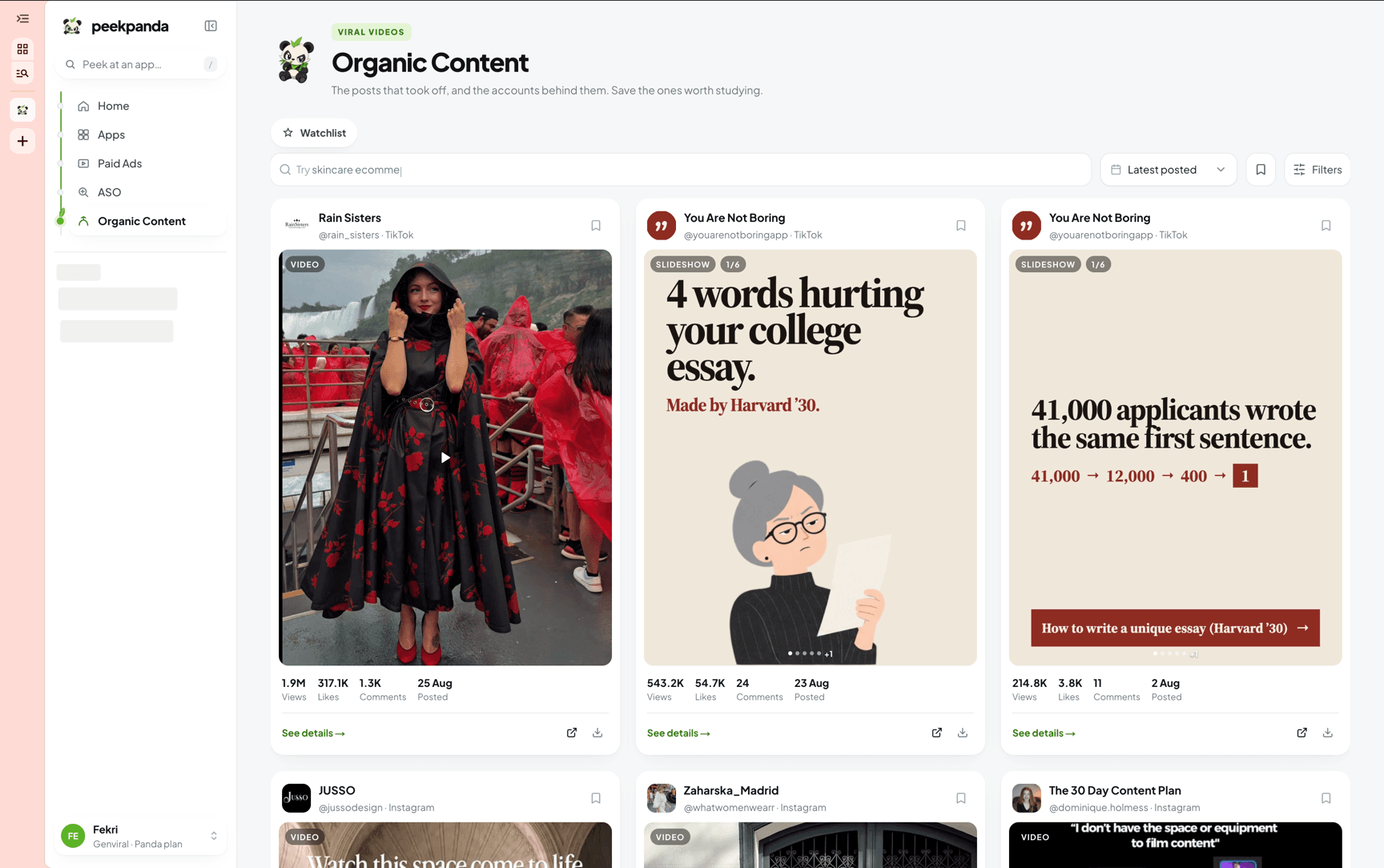
Download Markdown ↓Organic Content in the sidebar opens /viral-library. It is a searchable copy of public organic posts from TikTok, Instagram and Threads, with the media, the caption, the hook and the engagement recorded for each one.
These are stored rows. Opening the library reads the copy, not the platform, so the numbers you see are what was collected, not what the post shows right now.
Searching
Type in the search box. Typing pauses briefly before the read runs, so the box stays responsive while you finish the phrase.
The moment you type a query the sort switches to Best match. Clear the search and your own chosen order comes back.
Sort offers nine orders:
| Group | Options |
|---|---|
| Relevance | Best match |
| When we added it | Recently added, Oldest added |
| When it was posted | Latest posted, Oldest posted |
| Engagement | Most views, Most likes, Most comments |
| Shape | Most slides |
Filters
The filters button opens one panel. The badge on it counts the filters you have on, not counting the search box, which is already visible next to it.
- Content type. All, Slideshow, Video, Mixed.
- Max slides. Only offered while the type is Slideshow. Any, 3 or fewer, 5 or fewer, 10 or fewer.
- Business type. App, E-commerce, SaaS, Service, Affiliate, Other, Creator, Game, Book, Unclassified. This is the product taxonomy, not free text from the post.
- Platform. TikTok, Instagram, Threads. All three are always offered, so a platform does not appear only once content happens to land in it.
- Category. The categories the corpus actually holds.
- Creator. The accounts the corpus holds.
- Product. The products the corpus holds.
- Date range. By the date the post was published.
Everything you turn on shows as a chip under the bar. Click a chip to drop one filter, Clear all to drop them together.
Results come 18 to a page, with 36 as the other page size. Changing any filter or the sort returns you to page one.
Opening a post
Click a card to open the post beside the grid: the media in the middle, a details panel on the right. On a phone the same detail opens as a full screen sheet.
The panel starts with the account, the publish date and the follower count recorded for the channel, then a line of context: whether the post is a video or a slideshow, its category, whether monetization signals were found, and the slide count for a deck.
Below that:
- Engagement. Views, likes and comments as the headline figures, with shares and saves underneath. Beside them sits how long ago those metrics were last refreshed. Metrics that were never collected are left out rather than shown as zero.
- Hook. The opening line recorded for the post.
- Caption. The post's caption.
- Monetization. Any labels recorded for the post, plus the signals found by reading it: product mentions, product links, promotional markers such as
#adorsponsored, and tracking or affiliate URLs. When none are found it says No monetization signals detected. - Product. Product names and websites recorded for the post.
- Hashtags. Up to twelve.
Placeholder values such as n/a or none are treated as absent, so an empty field stays empty instead of printing filler.
At the top of the panel are three controls: save the post, copy the link to the original, and open the original post. The footer carries one primary action, which depends on the post: Play video for a video we mirrored, Use as Template for a slideshow, which hands the post to the Genviral slide editor and leaves PeekPanda, or a link to the original post when neither applies. A link to the original stays available underneath either way.
Sharing a post
The post you have open is in the address bar as ?preview=<id>. Copy the URL and whoever opens it lands on that post, even when it sits outside the page the grid would load.
What the corpus is and is not
The library is a copy of public posts, held with their original source IDs. Two limits are worth stating plainly.
Product matching is by name. A post is associated with a product because the names match. That does not verify that the account belongs to the product, and it is not a claim of ownership.
Engagement is a reading with a date. The panel shows when the metrics were last refreshed. Between refreshes the numbers stand still while the post keeps running.