 peekpanda
Keyword explorer
Explore an App Store phrase, its public search evidence, and PeekPanda’s directional keyword signals.
Download Markdown ↓At /aso/explore, enter an App Store phrase to review the public search evidence behind it. The same view opens from a keyword in a tracked app’s case file.
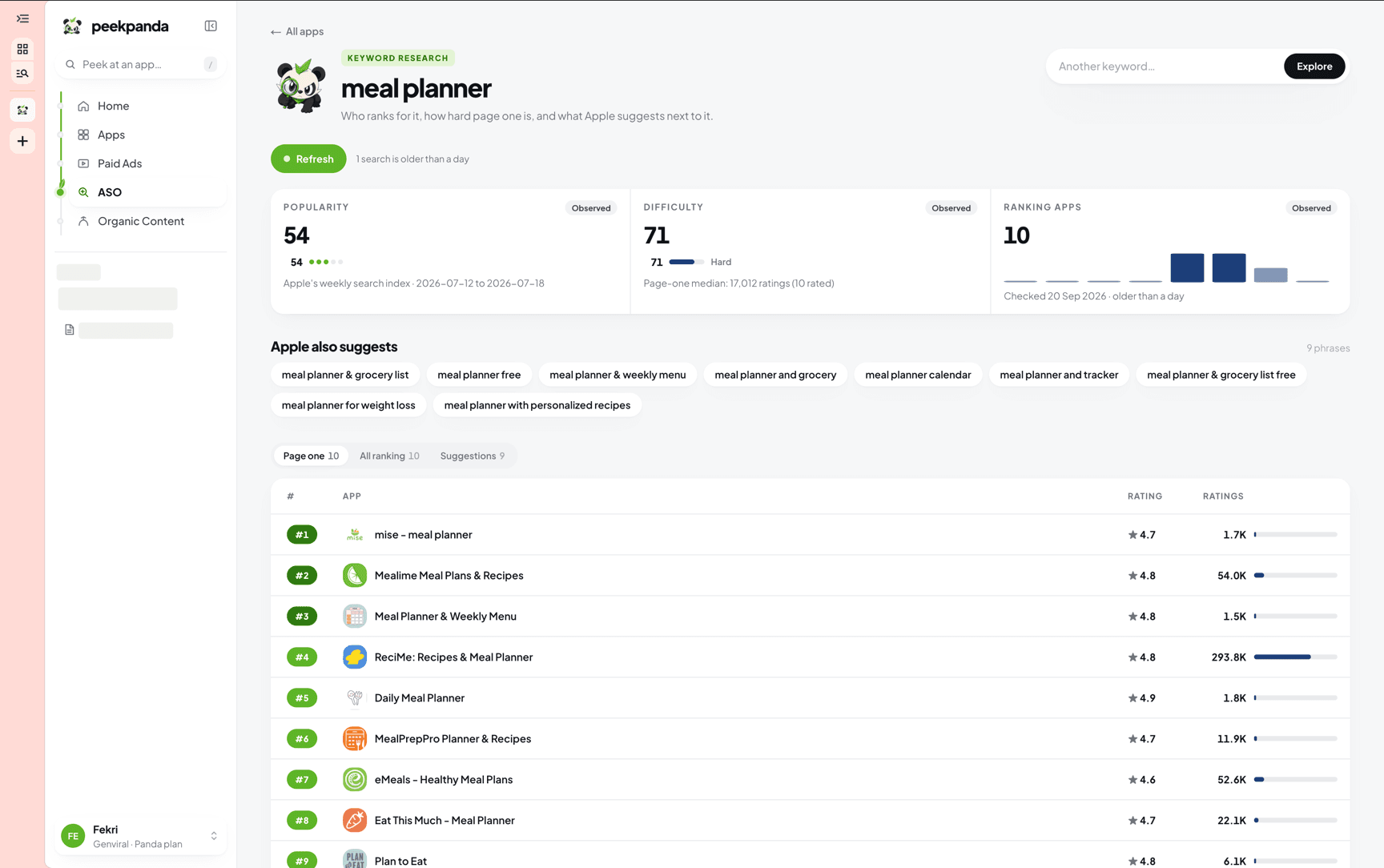 Keyword explorer for “meal planner”, with popularity, difficulty, and the apps on the first page.
Keyword observations currently cover the US storefront in English. Positions are observed public search-result positions, not guaranteed native App Store ranks.
The four signals
| Signal | What it tells you |
|---|---|
| Opportunity | A directional shortlisting signal that weighs popularity against difficulty. |
| Popularity | How much the phrase is searched, from 0 to 100. It is a relative reading, not search volume. |
| Difficulty | How established the leading apps in the collected result set appear to be. |
| Ranking apps | The apps returned in the collected public result set. |
Each signal identifies whether it is observed, derived, or unavailable. An unavailable signal is not shown as zero.
Opportunity
Opportunity helps you prioritize phrases that are searched more and defended less. It is a consistent PeekPanda signal, not a ranking promise, conversion forecast, or statement that a phrase is right for your app.
It is unavailable when its supporting evidence is unavailable, and it should be read with the oldest supporting observation date in mind.
Popularity and difficulty
Popularity reads Apple’s own weekly search popularity for the phrase where PeekPanda has collected it, and falls back to how prominently the store suggests the phrase when it has not. Difficulty summarizes the observed establishment of leading apps in the collected result set. Both are directional proxies, and each score names its own source. Use the underlying suggestions and result list to judge relevance before acting.
The ranking
Use the tabs to review leading results, the full collected result set, and related public suggestions. Each row identifies its observed position and available public listing context. A result links to a case file when PeekPanda has one for that app.
Nothing collected yet
If a phrase has not been collected, choose Peek at this keyword to request public evidence. The page reports whether the request is pending, complete, or unnecessary because current evidence is already available.
Related
AI agent or LLM? Read this page as markdown