 peekpanda
Usage and limits
What the Account usage area shows, what your plan covers, and how PeekPanda handles a limit.
Download Markdown ↓The usage area on /account shows the activity and access information relevant to your PeekPanda account.
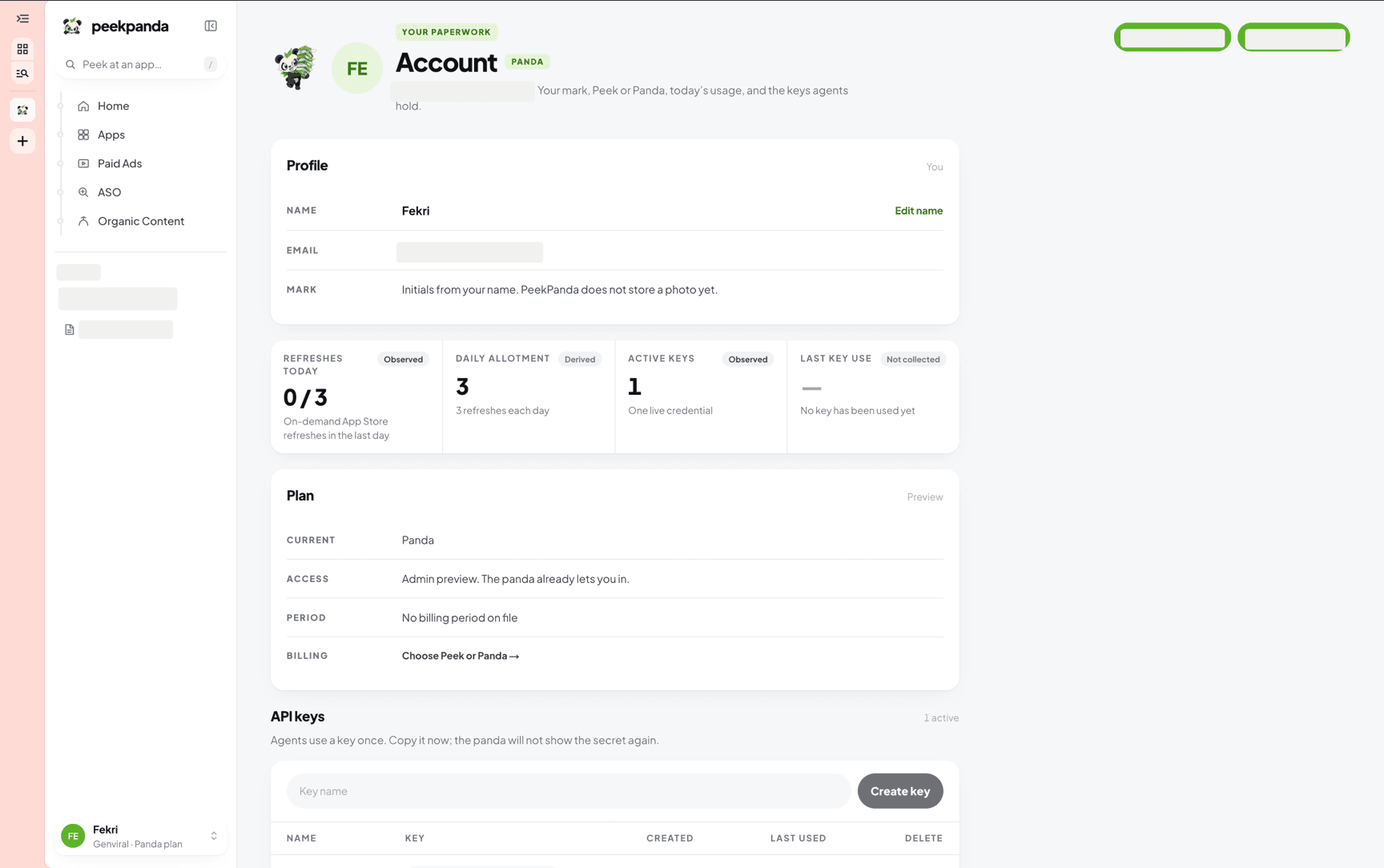 Usage on Account: tracked apps and active keys.
| Item | What it means |
|---|---|
| Tracked apps | How many apps your plan tracks: 1 on Peek, 100 on Panda. Each app on your boards counts once. |
| Active keys | API keys that can currently make requests. |
| Last key use | The most recent recorded use of an active API key. |
Without an active plan, plan-based usage is shown as unavailable rather than zero. A key that has never been used is identified as such.
What plan usage covers
Your plan sells one number: how many apps it tracks. Put an app on a board and PeekPanda tracks everything about it. Ordinary browsing is never a billable action: case files, charts, and stored observations remain readable without limiting your plan.
API and MCP calls
The public API and MCP share one daily call allowance per plan holder: 30 a day on Peek, 1,000 a day on Panda, resetting at 00:00 UTC. It is one shared pool: extra API keys, MCP connections, and workspace members do not add to it, and a workspace member draws on the workspace owner's pool. In-app usage in the product itself is never counted against it. Going over the limit returns a clear error naming the limit, your plan, and when it resets.
The public starter preview
The public starter preview of the curated starter boards can be read without an account or an API key. For each app in a niche it shows its two longest-running ads that are still live, how many days they have run, and when they were last seen running, plus a few keywords and organic posts, with counts for everything it leaves out. It never shows ad copy, advertiser names, videos or links. Without a key, each network may send 20 requests a minute and 200 a UTC day, and every visitor together shares one minute budget; a limit names its window and when to retry. Read through an API key or MCP connection, the same calls count toward your plan's daily call allowance. See read a public starter preview.
Catalogue, keyword, and ASO collection also have their own quiet operational safeguards so public-source collection stays fair and reliable. These are not part of your plan's numbers; where relevant, their status is shown where you request the data. See refreshing keywords.
When you reach a limit
PeekPanda explains the relevant limit and, where applicable, when you can try again. It does not partially apply a request in a way that could make the result misleading. Existing valid observations remain available with their dates.
API-key creation requires the access included with an active entitlement. Manage keys from API keys.
Reading usage honestly
Usage counts describe recorded account activity. A plan allowance describes what your active plan includes. When there is no result to show, PeekPanda uses an explicit unavailable state rather than presenting an empty value as zero.
Related
AI agent or LLM? Read this page as markdown