 peekpanda
Track your app
Add an iOS app to the ASO workspace, identify it as yours or a competitor’s, and track relevant keywords.
Download Markdown ↓On /aso, search for an app by name and select the correct public App Store listing. PeekPanda begins gathering relevant public keyword evidence for the app. Put an app on a board and PeekPanda tracks everything about it, so an app you add here lands on your My apps board.
 Tracked apps in the ASO workstation, split between your apps and competitors.
Adding an app
- Choose Track an app on Home, a board, or the Tracked apps rail in
/aso. - Type an app name or paste its App Store link, then choose Track on the match. It goes on the board you opened from, or on My apps.
- Choose Open case file to watch it fill up.
A tracked app counts toward your plan once, however many boards it is on. Peek tracks 1 app and Panda tracks 100. If adding an app would go over that number, PeekPanda says so and changes nothing.
The initial collection uses the public app title to identify relevant keyword evidence. It may take time for new observations to appear. If the listing is no longer available from the public store, PeekPanda explains that the app cannot be added.
Mine or competitor
The role is an account label used to organize your ASO board and case files. Both roles receive the same public observations. Your first tracked app starts as Mine and later ones as Competitor. You can change the label from the app's case file in ASO with Mark as mine or Mark as competitor.
Tracking keywords
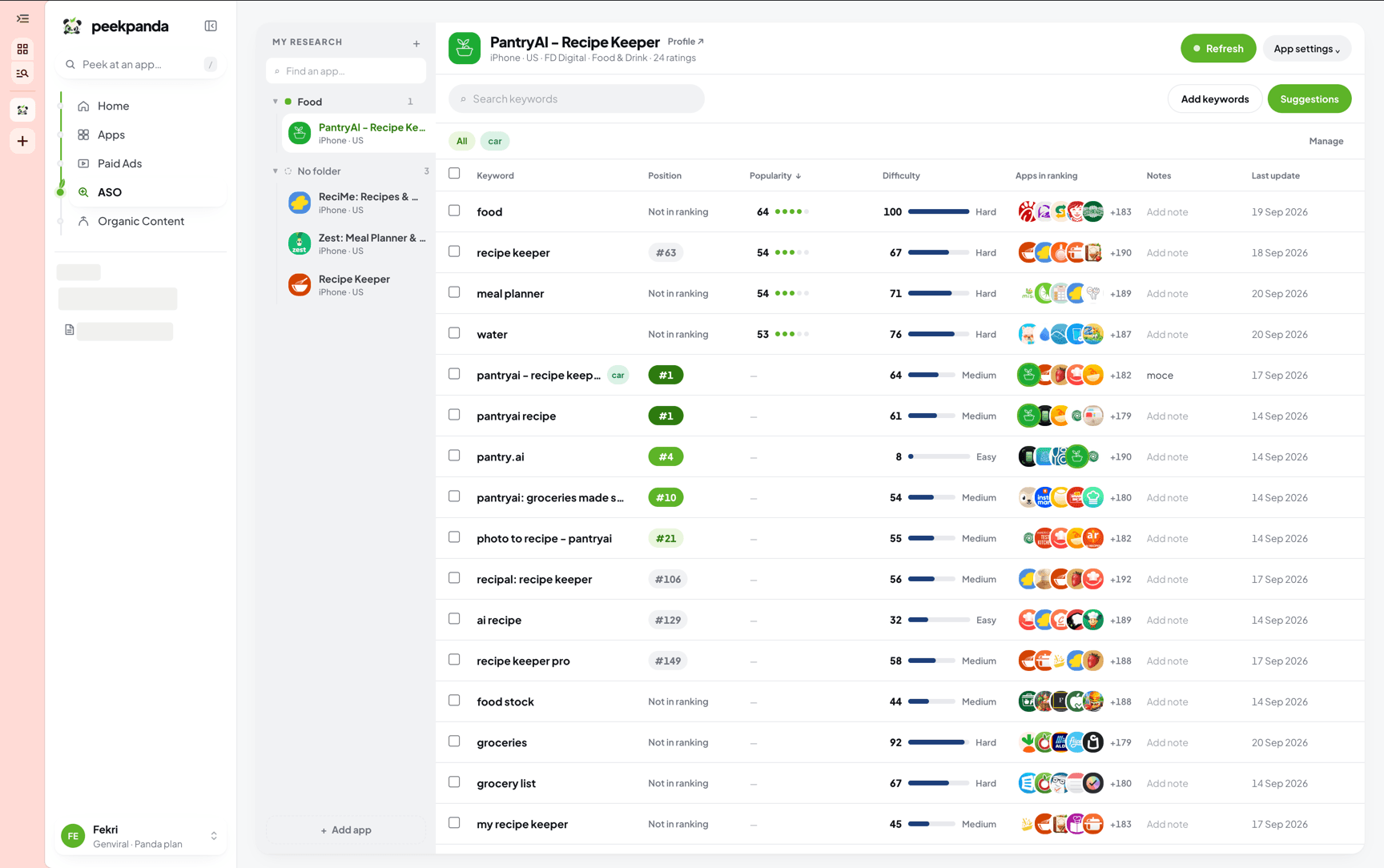
Track a keyword from the keyword table, an idea, or Add keywords. You can add one phrase or a short list. Tracked keywords are kept for your app’s future ASO refreshes, including phrases the app does not yet appear for. In a workspace, everyone works on the same keyword list for an app.
PeekPanda standardizes keyword input before saving it so duplicate spellings do not create separate entries. Removing a keyword takes it off the app’s list; it does not erase historical public observations.
If a request would go over the keyword limit, PeekPanda explains the limit and keeps the existing list.
Removing an app
Use Stop tracking in the app header and confirm the choice. The app comes off every board in this space, its tracked keywords go with it, and it no longer counts toward your plan. Public catalogue observations are not presented as your private data and remain governed by their own retention and availability rules.
Related
AI agent or LLM? Read this page as markdown