 peekpanda
Profile and plan
The account desk holds your name, your mark, your plan chip and where that plan came from.
Download Markdown ↓/account is the paperwork desk. It has four things on it: your profile, today's usage, your plan, and your API keys. This page covers the first and the third.
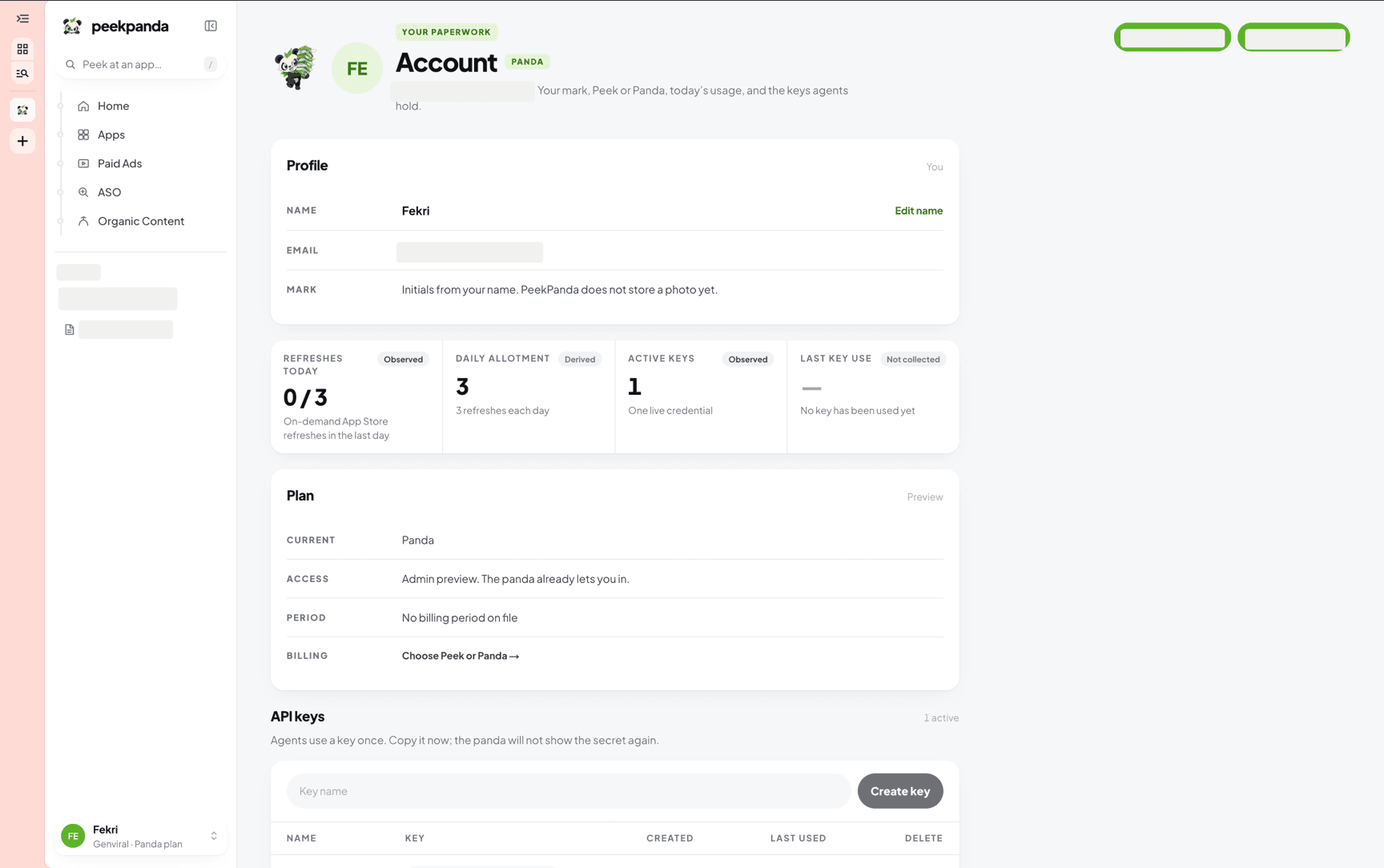 Account, with the profile card and the plan chip.
The chip next to the page title is your plan: Peek, Panda, or Free access when no entitlement is on file.
Profile
Three rows, one card.
| Row | What you can do |
|---|---|
| Name | Edit it. Press Edit name, type, save. 1 to 80 characters |
| Read only. It comes from your Genviral account | |
| Mark | Nothing. Your initials are taken from your name; PeekPanda does not store a photo |
The name you save is the one the sidebar and the header use. If you have never set one, PeekPanda falls back to the part of your email before the @.
Saving is a single request. If it fails the card shows the reason and keeps your typing.
Plan
Four rows, one card, with the subscription status as the section aside: Active, Included, Preview or None.
| Row | What it says |
|---|---|
| Current | Peek, Panda, or Free access |
| Access | Where the entitlement came from |
| Period | The end of the current billing period, or No billing period on file |
| Billing | Manage billing when a billing customer exists, plus a link to the plans |
The Access row is the interesting one. There are three sources:
- Billed on PeekPanda. You have an active PeekPanda subscription.
- Peek comes with your Genviral Business or Scale plan. A qualifying Genviral team subscription carries Peek across.
- Admin preview. Internal access during the preview.
With no entitlement at all, the row reads No Peek or Panda subscription is on file, and the link offers to choose a plan.
What you cannot change here
- Your email. It belongs to the Genviral account behind the session.
- Your plan name or its allowance. Those follow the entitlement, not a setting.
- Your avatar. Initials are the mark.
Manage billing only appears once a billing customer is on file for your account. It opens the provider's own portal in place. Until then, the row shows only the link to the plans.
Related
AI agent or LLM? Read this page as markdown